3SHAPE DENTAL SYSTEM
Native Articulator Interface · Light & Ultra · Tight / Standard / Loose · 9 combinations + Frame
Your CAD software shouldn’t decide how precise your transfer is.
You already work in Dental System. You already trust Model Builder. What you were missing was a way to bring the DACOS protocol inside it — without exporting to a third-party tool, without rebuilding the base by hand, without hoping the attachment ends up where it should.
That’s what this library does. It puts DACOS Omni where your workflow already is.
The contacts you design are the contacts you verify. Even in 3Shape.
One file. The complete system.
Four steps. Then it’s just your normal workflow.
1
Import the library
Open 3Shape Control Panel, go to Tools → Import/Export, and import the .dme. Once. It stays there.

2
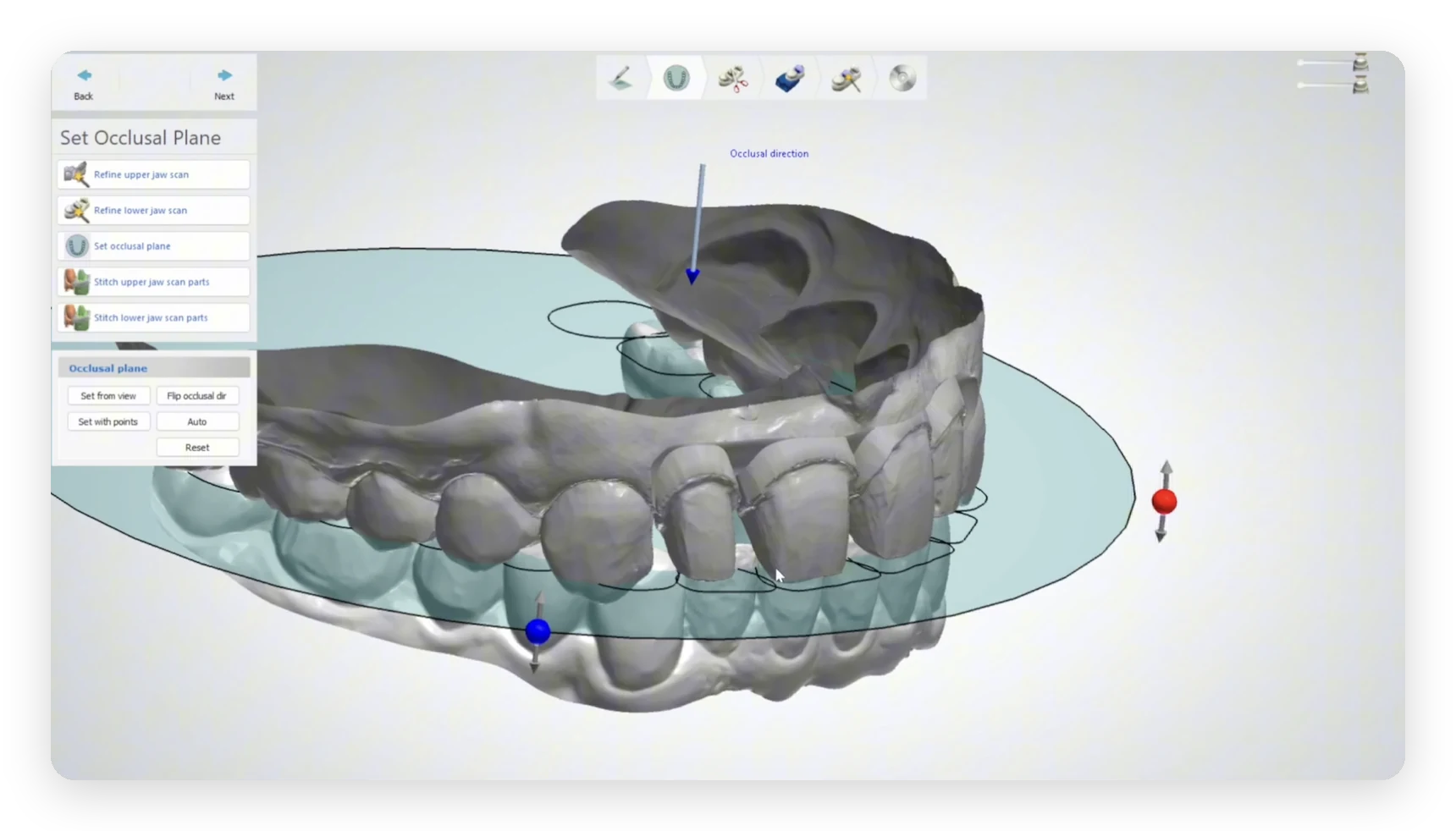
Orient the models
In Model Builder, place the models on the correct occlusal plane orientation. This is the reference the whole system inherits — get this right and everything downstream follows.
3
Select your DACOS Omni attachment
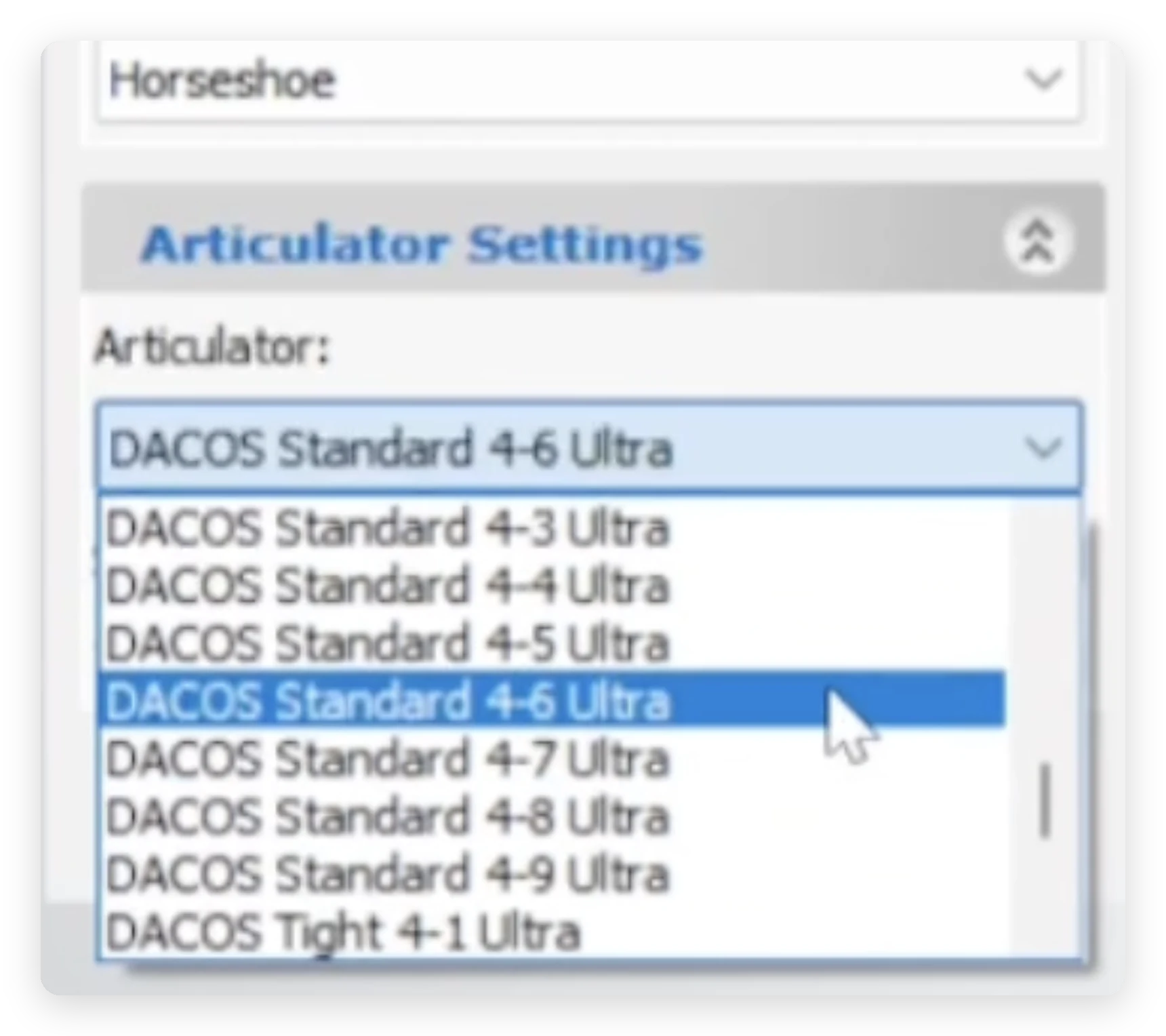
Pick your tier (Light or Ultra), your calibrated offset (Tight / Standard / Loose), and the combination that clears your case. In 3Shape all three live in one name — DACOS Standard 4-6 Ultra is the Standard offset, combination 6, Ultra tier.
Leave the attachment where the software places it — it inherits the occlusal reference from your model orientation. If you ever lose control of a placement, hit Reset and start that step again.

4
Generate and print
Model Builder merges the attachment into the model. Export, print, snap onto your DACOS plate. Done.
Hollow inside. Solid underneath.
Models generated with the DACOS library are hollowed internally, and the base stays closed at the bottom. That’s intentional. A closed base is a rigid base: less flex during printing, less flex during handling, and a more dimensionally stable seat against the plate — which is exactly what you want from the component whose job is to not introduce error.
Print it as it comes out of Model Builder and you’re finished.
Prefer an open base?
Some labs like to drain and save resin. Open it in your slicer with a simple Boolean subtraction — a cylinder in Chitubox, Meshmixer or your tool of choice, straight through the underside. Two clicks, and the seating geometry is untouched.
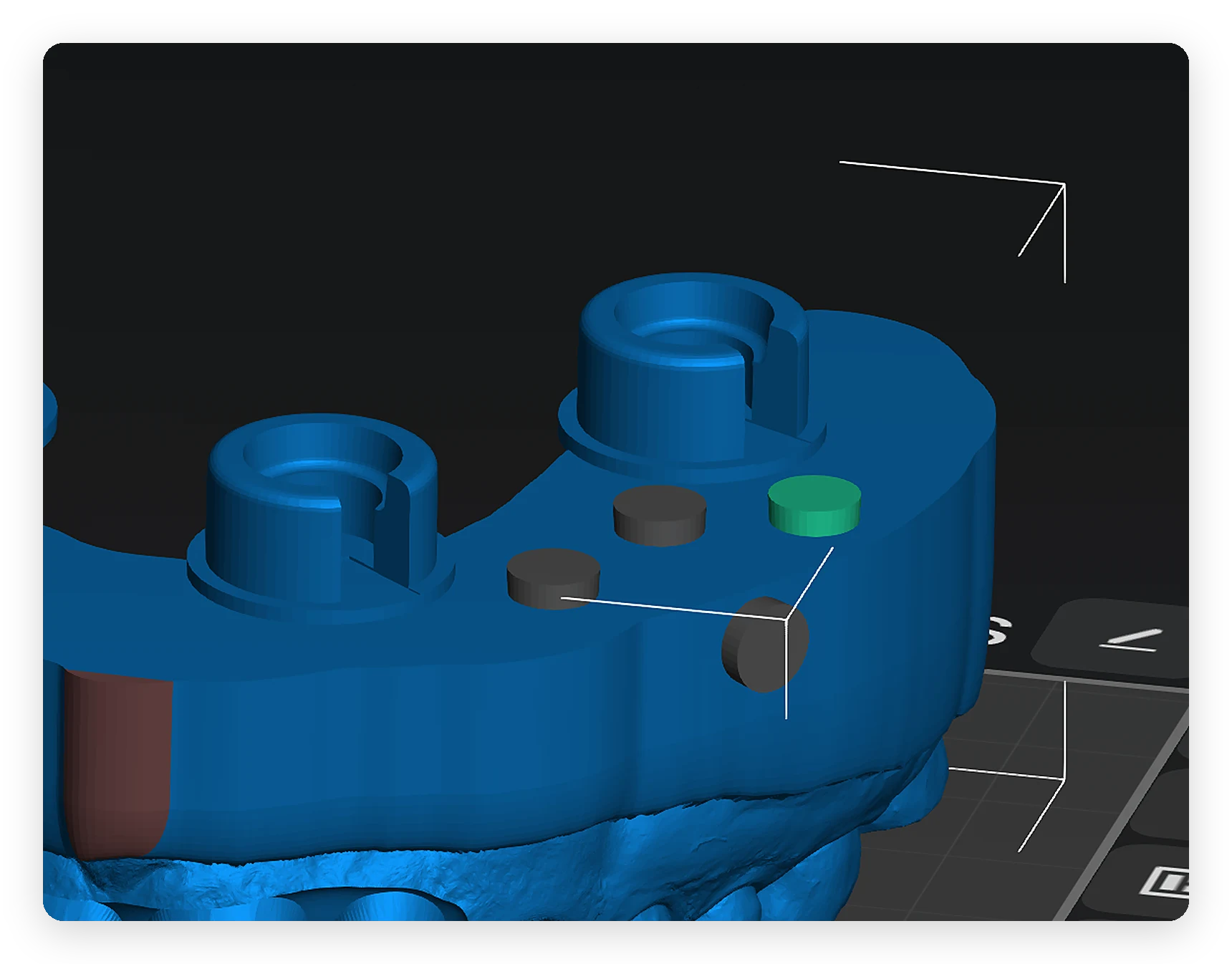
Optional — cylinders positioned between the magnet housings, subtracted in the slicer to open the base.
The transfer is no longer a variable.
Every plaster-free system eliminates plaster. Very few ask what replaces it. Bulky bases that intersect with implant analogs. Base geometries so large they force 45° print orientation — longer prints, worse teeth. No way to account for your own printer’s behaviour.
DACOS Omni is a Transfer Fidelity System. The four pillars — ShieldBase™ Geometry, DockingMatrix™ Configuration, TrueZero™ Calibration and dedicated CAD libraries — exist so that one specific step in your chain, the handoff from CAD to articulator, adds nothing.
Your scan, your printer, your resin, your articulator: those are yours. The transfer is ours. Now it’s ours inside Dental System too.
Internal testing with a calibrated digital indicator measured a system precision ceiling of ±0.02 mm — the maximum repeatability the hardware delivers when every workflow variable is controlled. It proves the transfer doesn’t cause the error. No competitor publishes repeatability data for this step at all.
±0.02 mm is the system precision ceiling under controlled conditions, not a per-case accuracy promise. Real-world results depend on the full precision chain — scan, CAD, print, resin, cure and articulator.
Read: The Precision Chain — what actually determines your result →
Technical specifications
Software
3Shape Dental System
Module
Model Builder — Articulator Settings
File format
.dme (single container)
Library architecture
Static — pre-built attachment geometry merged into the model
Tiers included
DACOS Omni Light · DACOS Omni Ultra
Offsets included
Tight · Standard · Loose
Combinations
4-1 … 4-9 + Frame, per tier and per offset — listed in 3Shape as DACOS <offset> 4-<n> <tier>
Calibration
Gemini Calibrator — offset must match the library offset selected
Model output
Hollowed internally, closed base
Distribution
Direct download
IP
Patent pending · Hague-registered geometry
Wherever you design, DACOS is already there.
Dedicated module. Unlimited attachment combinations, one-click finalization.
Dynamic library. Full Boolean workflow, plate optional, plateless fully supported.
3Shape
This page. Native Articulator Interface library.
Static library.
Frequently asked questions
Download the DACOS Omni library for 3Shape, import it into your Articulator Interface, and generate your first DACOS-ready model today.
The DACOS Omni system, including its adapter plates, calibration method, attachment geometry and magnet placement tools, is protected by a pending international patent application.